
Download
Download from VIPStreams.pk. Mirror hosts below use their own wait pages.
Installation & Setup
Follow these steps after downloading from the links above.
- Download the installer from your chosen host on this page.
- Extract the archive if the download is a .zip/.rar file.
- Run setup.exe or the main installer as administrator.
- Follow the on-screen prompts to complete installation.
- Launch the program from the Start menu or desktop shortcut after installation.
Join Our Discord Community
Get support, updates, and connect with the community!
📖 About This Software
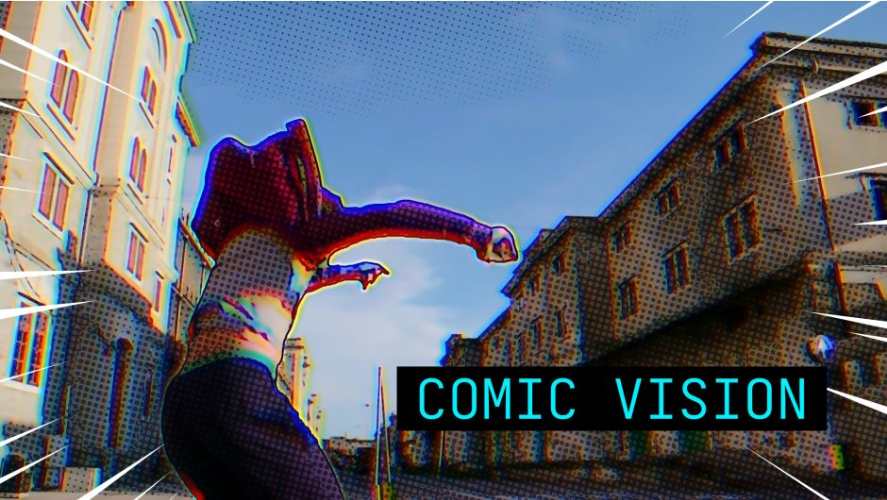
AEScripts Comic Vision v1.0.2 is a stylisation plugin for Adobe After Effects and DaVinci Resolve that transforms live-action footage into an animated comic-book aesthetic. Developed by Pixel Sorter Studio, the plugin combines bold ink outlines, flat colours, halftone shading, misaligned colour plates and manga-inspired speed lines to create a graphic novel appearance.
Rather than requiring artists to redraw footage or manually build complex comic-style effects, Comic Vision applies its visual treatment directly to video. Its AI-powered subject detection identifies people in the frame, allowing the plugin to treat foreground subjects differently from the background without requiring traditional rotoscoping or a green screen.
The plugin is designed for motion designers, video editors, music video creators and visual effects artists who want to produce stylised footage inspired by comic books, graphic novels and animated action sequences.
✨ Key Features
🖼️ Screenshots
Comments
Please sign in to comment and earn PirateCoins!